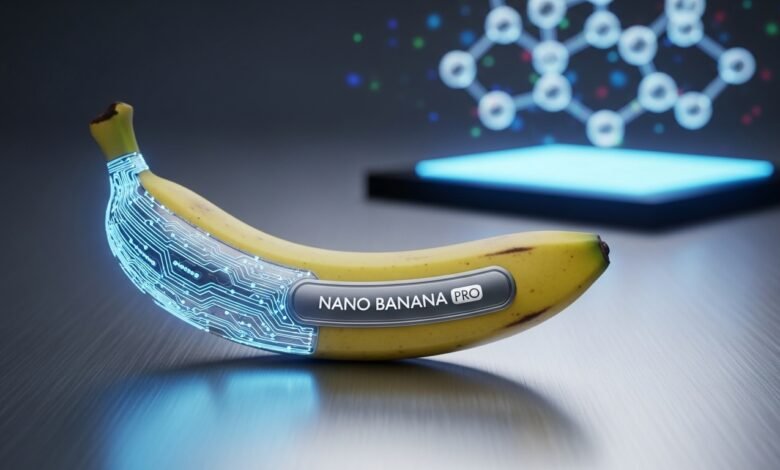
The world of AI-powered image generation has reached a new milestone with Nano Banana Pro, Google’s latest and most sophisticated image creation tool. Built on the groundbreaking Gemini 3 Pro platform, this state-of-the-art model is transforming how professionals, marketers, and creative enthusiasts bring their visual ideas to life. Whether you’re designing marketing materials, creating infographics, or developing brand assets, Nano Banana Pro delivers studio-quality results that were previously impossible with AI tools.
What makes Nano Banana Pro stand out in the crowded AI image generation space? The answer lies in its unprecedented combination of high-resolution output, flawless text rendering, and intelligent understanding of real-world context. This comprehensive guide will walk you through everything you need to know about this revolutionary tool.


What Is Nano Banana Pro?
Nano Banana Pro, officially known as Gemini 3 Pro Image, represents Google DeepMind’s most advanced image generation and editing model to date. Released in November 2025, this AI-powered tool marks a significant leap forward from its predecessor, the original Nano Banana model that captured social media attention earlier in the year.
Unlike traditional image generators that simply match keywords to pixels, Nano Banana Pro leverages the advanced reasoning capabilities of Gemini 3 Pro. This means the tool doesn’t just create images—it understands context, relationships between objects, and can even tap into Google Search’s vast knowledge base to ensure accuracy.
The model excels at several critical areas where other AI image generators have historically struggled:
- Text rendering within images with perfect legibility across multiple languages
- High-resolution output supporting 2K and 4K formats suitable for professional print
- Character consistency maintaining the likeness of up to five individuals across multiple images
- Advanced composition blending up to 14 separate reference images seamlessly
The Technology Behind Nano Banana Pro
At its core, Nano Banana Pro utilizes multimodal architecture that processes both visual and textual information simultaneously. This holistic approach allows the model to interpret creative direction the way a human designer would, rather than simply matching keywords to visual patterns.
The integration with Gemini 3 Pro provides the model with enhanced reasoning capabilities, enabling it to understand nuanced requests like “create a chiaroscuro lighting effect” or “maintain brand consistency across these elements” without requiring technical prompt engineering expertise.
Key Features of Nano Banana Pro
1. Studio-Quality Resolution
One of the most impressive upgrades in Nano Banana Pro is its resolution capabilities. While the original Nano Banana was limited to 1024 x 1024 pixels, the Pro version supports:
- 1K resolution for standard digital use
- 2K resolution for high-quality web and social media
- 4K resolution for professional print applications
This resolution flexibility makes Nano Banana Pro suitable for everything from Instagram posts to billboard advertisements, eliminating the need for multiple tools in your creative workflow.
2. Revolutionary Text Rendering
Perhaps the most celebrated feature of Nano Banana Pro is its ability to generate accurate, legible text directly within images. This breakthrough addresses one of the longest-standing challenges in AI image generation.
The model can:
- Create sharp, readable text in various fonts and styles
- Support multiple languages with proper grammar and syntax
- Wrap text naturally around objects
- Generate complex typography for logos and branding
- Produce detailed infographics with multiple text elements
Developers and designers have called this capability “absolutely bonkers,” noting that it finally makes AI-generated marketing materials viable without post-production text overlay work.
3. Real-World Knowledge Integration
By connecting to Google Search’s knowledge base, Nano Banana Pro can access real-time information and incorporate factual accuracy into generated images. This feature enables unique use cases like:
- Creating weather-based infographics with current conditions
- Visualizing up-to-date sports scores and statistics
- Generating educational content with scientifically accurate diagrams
- Producing recipe visualizations with proper ingredient information
- Designing maps with current geographical data
4. Advanced Character Consistency
For storytelling, branding, and marketing campaigns, maintaining visual consistency across multiple images is crucial. Nano Banana Pro excels in this area by:
- Preserving the likeness of up to five different people across various scenes
- Maintaining consistent character features through different poses and angles
- Ensuring brand mascots and product representations remain uniform
- Supporting multi-character compositions without identity confusion
This capability is particularly valuable for creating comic books, marketing campaigns, social media series, and any project requiring visual continuity.
5. Professional Creative Controls
Nano Banana Pro gives users unprecedented control over the technical aspects of image generation, including:
- Camera controls: Adjust angles, focal length, and perspective
- Lighting options: Manipulate directional light, intensity, and shadows
- Depth of field: Control focus points and background blur
- Color grading: Fine-tune color palettes and overall mood
- Composition tools: Arrange multiple elements with precision
These controls bring Nano Banana Pro closer to professional photography and design software while maintaining the speed and accessibility of AI generation.
6. Multi-Image Composition
The model can seamlessly blend up to 14 reference images in a single generation, allowing you to:
- Combine product photos with lifestyle scenes
- Merge multiple style references for unique aesthetics
- Apply textures and patterns from reference images
- Create complex marketing collateral from diverse sources
- Build detailed scene compositions with varied elements
How to Access Nano Banana Pro
Accessing Nano Banana Pro is straightforward, with multiple entry points depending on your needs:
For Individual Users
Gemini App: The easiest way to use Nano Banana Pro is through Google’s Gemini app. Simply:
- Open the Gemini app on mobile, desktop, or web
- Select “Create images” from the tools menu
- Choose “Thinking” from the model menu
- Enter your prompt or upload an image to edit
Free Tier: Google offers a limited daily quota for free users. Once you reach this limit, the system automatically defaults to the original Nano Banana model until your quota resets.
Subscription Plans: Google AI Plus, Pro, and Ultra subscribers receive higher generation quotas and priority access to new features.
For Developers
Developers can integrate Nano Banana Pro into their applications through:
- Gemini API: Direct API access for custom applications
- Google AI Studio: Web-based development environment with demo apps
- Vertex AI: Enterprise-grade implementation with additional controls
- Third-party platforms: Services like fal.ai offer simplified API access
For Enterprise Users
Enterprise customers can access Nano Banana Pro through:
- Google Workspace: Integration with Slides, Vids, and other productivity tools
- Google Ads: Direct image generation for advertising campaigns
- Vertex AI: Full enterprise deployment with copyright indemnification
- NotebookLM: Integration for research and content creation workflows
Pricing and Cost Considerations
Understanding the pricing structure helps you optimize usage based on your needs:
API Pricing (for developers):
- Input tokens: $2.00 per million tokens
- Output tokens: $12.00 per million tokens
- Standard resolution (1K-2K): Approximately $0.134 per image
- 4K resolution: Approximately $0.24 per image (double the standard rate)
Consumer Pricing:
- Free tier: Limited daily quota with automatic fallback to Nano Banana
- Google AI Plus/Pro/Ultra: Higher quotas with subscription
Comparison: While Nano Banana Pro is priced higher than alternatives like DALL-E 3 (approximately $0.04 per image), the advanced reasoning capabilities, superior text rendering, and professional controls justify the premium for production-quality work.
Nano Banana Pro vs. Original Nano Banana
Understanding the differences helps you choose the right model for your project:
| Feature | Nano Banana | Nano Banana Pro |
|---|---|---|
| Base Model | Gemini 2.5 Flash | Gemini 3 Pro |
| Max Resolution | 1024 x 1024px | 4K (4096px) |
| Text Rendering | Basic | Advanced/Flawless |
| Character Consistency | Good | Excellent (up to 5) |
| Reference Images | Limited | Up to 14 images |
| Speed | Fast | Slower (quality-focused) |
| Cost | $0.039/image | $0.15-0.24/image |
| Best For | Quick iterations | Professional work |
When to Use Nano Banana: Choose the original model for rapid ideation, casual creativity, social media content, and high-volume generation where cost is a primary concern.
When to Use Nano Banana Pro: Select the Pro version for marketing materials, professional presentations, branded content, detailed infographics, and any project requiring publication-quality output.
Practical Use Cases
Marketing and Advertising
Nano Banana Pro excels at creating professional marketing assets:
- Product mockups: Visualize products in realistic lifestyle settings
- Ad campaigns: Generate cohesive advertisement series with consistent branding
- Social media content: Create eye-catching visuals with sharp text overlays
- Poster designs: Produce print-ready promotional materials
- Localized campaigns: Automatically translate text for international markets
Education and Training
The model’s ability to create accurate, informative visuals makes it ideal for:
- Educational infographics: Transform complex information into digestible visuals
- Training manuals: Generate step-by-step instructional diagrams
- Presentation materials: Create professional slides and supporting graphics
- Interactive content: Develop engaging educational materials
- Scientific visualizations: Produce accurate diagrams and cross-sections
Content Creation
For creators and publishers, Nano Banana Pro offers:
- Comic book generation: Maintain character consistency across panels
- Blog illustrations: Create custom images that match article topics
- Thumbnail creation: Design compelling video thumbnails with text
- Social media series: Develop consistent visual themes for content campaigns
- Brand storytelling: Build visual narratives with maintained aesthetics
Product Development
Design teams can leverage Nano Banana Pro for:
- Concept visualization: Quickly iterate on product ideas
- Prototype mockups: Create realistic product representations
- Design exploration: Test multiple aesthetic directions rapidly
- User interface concepts: Visualize app and website designs
- Packaging design: Generate product packaging variations
Tips for Getting the Best Results
1. Write Detailed Prompts
The more specific your prompt, the better your results. Include:
- Subject: What is the main focus of the image?
- Composition: How should elements be arranged?
- Action: What is happening in the scene?
- Location: Where is this taking place?
- Style: What aesthetic should be applied?
- Technical details: Lighting, camera angle, color palette
Example: Instead of “a coffee shop,” try “A cozy Seattle coffee shop interior at golden hour, warm ambient lighting streaming through large windows, customers at wooden tables, shot from a corner angle with shallow depth of field emphasizing the barista in the foreground.”
2. Use Reference Images Strategically
When uploading reference images, clearly define their purpose:
- Image A: Character pose and expression
- Image B: Color palette and overall mood
- Image C: Background environment and setting
- Image D: Lighting reference
3. Leverage the Search Integration
For factually accurate content, explicitly mention you want grounded results:
- “Create an infographic about solar panels using current information”
- “Generate a diagram showing how electric cars work with accurate technical details”
- “Visualize today’s weather forecast for New York City”
4. Iterate Methodically
Nano Banana Pro supports multi-turn editing, allowing you to refine images progressively:
- Start with a basic generation
- Request specific modifications (“adjust the lighting to be more dramatic”)
- Fine-tune individual elements (“make the text larger and bolder”)
- Polish details (“increase the contrast on the background”)
5. Specify Text Requirements
For text-heavy images, be explicit about typography needs:
- Font style (serif, sans-serif, decorative)
- Text size and hierarchy
- Color and contrast requirements
- Language and localization needs
- Text placement relative to other elements
Limitations and Considerations
While powerful, Nano Banana Pro has some limitations to be aware of:
Quality vs. Speed Trade-off
Nano Banana Pro prioritizes quality over speed. Generation times are longer than faster models like the original Nano Banana or DALL-E 3. Plan accordingly for time-sensitive projects.
Multilingual Accuracy
While supporting multiple languages, the model may occasionally produce grammatical errors or miss cultural nuances in non-English text. Always review generated text carefully.
Complex Edits
Very complex multi-element edits or extensive image blending can sometimes produce artifacts or unnatural transitions. Breaking complex requests into multiple steps often yields better results.
Character Feature Consistency
Though generally reliable, character consistency may vary in extreme pose changes or dramatically different lighting conditions. Providing consistent reference images helps maintain accuracy.
Cost Considerations
At approximately $0.15-0.24 per image, costs can accumulate quickly for high-volume projects. Use the free tier or original Nano Banana for initial iterations, then switch to Pro for final production.
Ethical Considerations and Transparency
Google has implemented several features to ensure responsible use:
SynthID Watermarking
All images generated with Nano Banana Pro include imperceptible SynthID digital watermarks that identify them as AI-generated. This technology helps:
- Combat deepfakes and misinformation
- Provide transparency about content origins
- Enable verification tools for media authentication
- Maintain trust in digital media ecosystems
C2PA Metadata
Images contain Coalition for Content Provenance and Authenticity (C2PA) metadata, making it easier to track image origins and modifications throughout their lifecycle.
Verification Tools
Users can upload any image to the Gemini app and ask if it was generated by Google AI, providing a simple way to verify content authenticity.
The Future of Nano Banana Pro
Based on current trends and Google’s roadmap, we can expect:
Upcoming Enhancements
- Video integration: Extension to Flow for AI filmmaking applications
- Audio and video watermarking: Expansion of SynthID to multimedia content
- Enhanced cultural understanding: Better handling of localized content
- Improved character features: More reliable consistency across extreme variations
- Animation capabilities: Support for creating animated sequences
Market Position
Nano Banana Pro is positioned as Google’s answer to premium AI image generation, competing directly with enterprise offerings while maintaining accessibility for individual creators. The model’s unique advantages in text rendering and knowledge integration give it a distinct competitive edge.
Conclusion
Nano Banana Pro represents a significant milestone in AI image generation technology, finally delivering on the promise of production-ready AI visuals that can compete with traditional design workflows. Its combination of high-resolution output, flawless text rendering, real-world knowledge integration, and professional creative controls makes it an invaluable tool for marketers, designers, educators, and content creators.
While the Pro version comes at a premium price compared to alternatives, the quality and capabilities justify the investment for professional work. The availability of both Nano Banana and Nano Banana Pro gives users flexibility to choose the right tool for each project—using the faster, cheaper original for ideation and iterations, then switching to Pro for final production-quality assets.
As Google continues to enhance the model with features like video integration and improved cultural understanding, Nano Banana Pro is poised to become an essential component of modern creative workflows. Whether you’re generating marketing collateral, educational materials, or creative content, this powerful AI tool can significantly accelerate your production process while maintaining professional standards.
Ready to experience the future of AI image generation? Try Nano Banana Pro today through the Gemini app and discover how it can transform your creative projects. With its free tier offering, there’s never been a better time to explore what this revolutionary tool can do for your work.
Frequently Asked Questions
Q What is the difference between Nano Banana and Nano Banana Pro?
Nano Banana Pro is built on Gemini 3 Pro and offers superior resolution (up to 4K), advanced text rendering, better character consistency, and professional creative controls. The original Nano Banana uses Gemini 2.5 Flash and prioritizes speed over quality at a lower cost.
Q Is Nano Banana Pro free to use?
Yes, but with limitations. Free users receive a daily quota of images. After reaching this limit, the system defaults to the original Nano Banana model. Google AI Plus, Pro, and Ultra subscribers get higher quotas.
Q Can I use Nano Banana Pro images commercially?
Yes, images generated through paid tiers can be used commercially. Google provides copyright indemnification for enterprise customers at general availability. Always review Google’s current terms of service for the most up-to-date information.
Q How accurate is the text rendering in Nano Banana Pro?
Nano Banana Pro represents the current state-of-the-art in AI text rendering, producing legible, properly spelled text in multiple languages. However, complex layouts or very long paragraphs may occasionally have minor issues requiring review.
Q Can Nano Banana Pro edit existing photos?
Yes, Nano Banana Pro excels at image-to-image editing. You can upload photos and use natural language prompts to make modifications, apply style transfers, add elements, or transform existing images while maintaining quality.
Read More: AirPods Pro 3 Features, Release Date & Price Guide